
The Export module lets account administrators download all content stored in their RAYVN account, gathered into a single file. This is useful whenever your organisation needs a complete backup or archive of your data , for example ahead of an audit, when closing out an agreement, or simply to keep an offline copy of everything logged in RAYVN.
Note that this is an extra module in RAYVN that is not included in "Standard" RAYVN, and it comes with an additional cost. If you would like to activate this module, please contact us for more information.
How to use the Export module
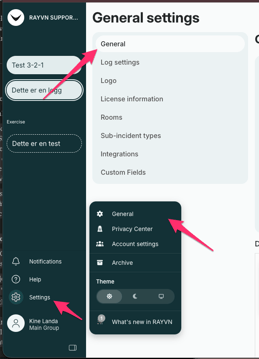
Once the Export module has been activated from RAYVN, the export option becomes available in your account settings:
- Go to Project settings on your account.
- Open the "General" tab.
- Scroll all the way to the bottom of the page.
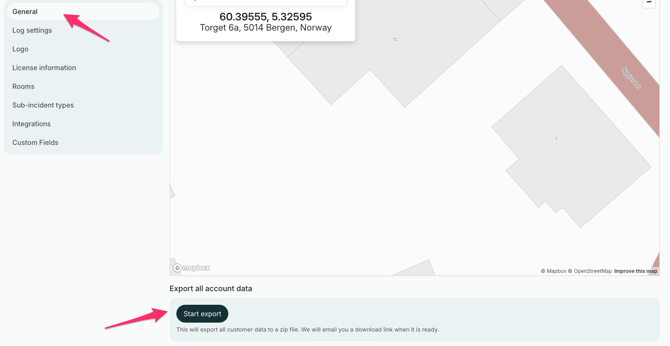
Here you will find the export option. Press the button to generate the export. You will then receive an e-mail containing a link to a zip file with all the content in your account click the link to download it.