
If you need to involve personnel who will handle Next of Kin in your log, you can do so by adding them through the "Next of kin"-tab, or by adding them to your "Teams" tab.
Note that the Next of Kin-module is separate from "regular RAYVN" and comes at an additional cost. if you are interested in buying this module, please contact our sales department.
How to add the next of kin team
If you haven't already, Users that have enabled the NOK module, will get a Next of Kin tab in the toolbar.
When active, go to the "Next of Kin"-tab, and select "Add next of Kin team". By default, there wont be any teams here, and until you've added a NOK team, the NOK Center will not be operational.
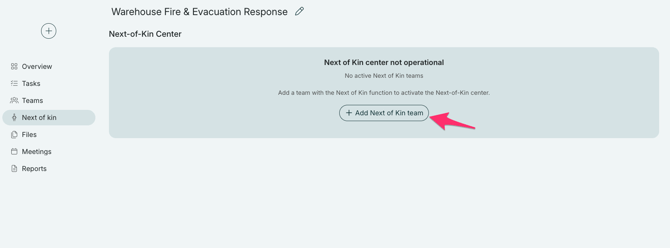
You will then get a list of your existing NOK teams.
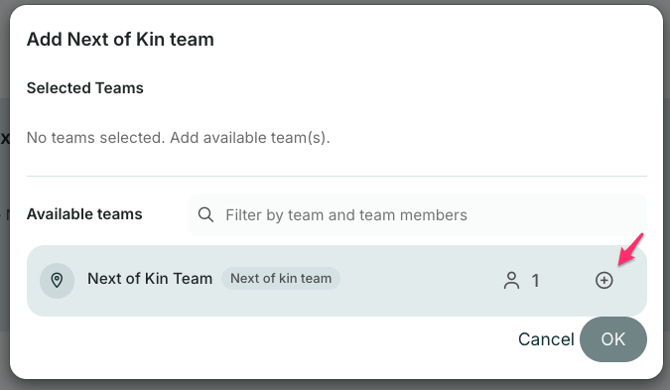
To add the team, click on the "+"-sign and then "Ok".
The team will be notified and added the same way as other teams.
When the NOK team respond to the invitation and log into RAYVN, they will only get access to the NOK Center, and only see the "Released information" from the main RAYVN log.
The NOK Center log is connected to the regular log, but the log view is limited in order to limit the amount of information the NOK team has access to.