
If you have pre-made task lists attached to your log templates in RAYVN, you can add the tasks from those templates to your ongoing log at any time.
This makes it easy to pivot or pick up "checklists", adding new tasks to your existing task list, without having to manually input new tasks directly in your log. This can save you a lot of time and headspace during an incident.
How to add tasks from other log templates
- In the active log, go to the "Tasks" section.
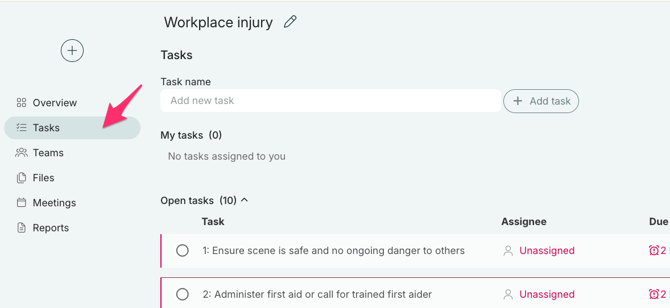
- Next to the "add task"-button there is also a "add tasks from template" option. Click on that, and a list of your log templates with tasks will appear.
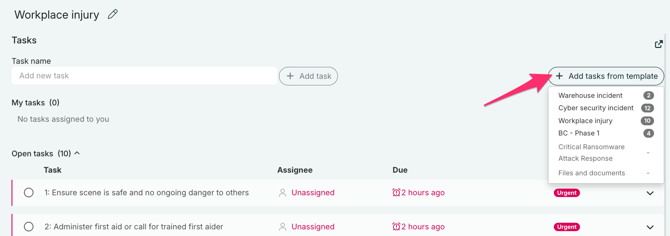
- Select the Log template that contains the tasks you want to add. Each log template will be listed if they have tasks in them, and you can also see how many tasks are attached to each template.
- As soon as you click on one of the log templates, all the tasks from that template will be added to your list of tasks, and you can now delegate them and edit them as you wish.
Tip: The list of log templates with tasks applies to both "Published" and "Unpublished" log templates. This means that you can create task lists in the form of log templates, and keep them "unpublished", so that they will only be relevant as pure task lists.