
An incident can change quickly, and the need for personnel may change after a log has started. Adding teams to an active log lets you involve more people when needed, whether the situation escalates or another team needs access to information and contribute to the response. This lets you scale the response without starting a new log.
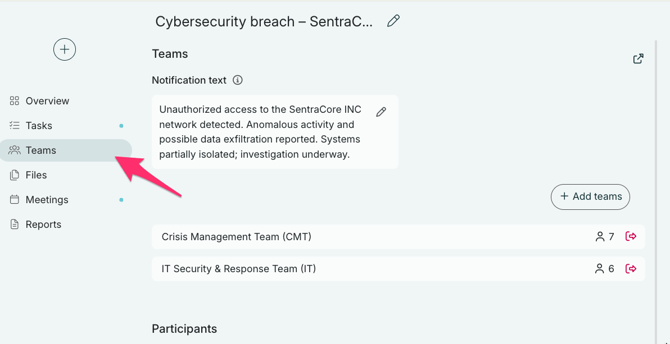
You can add more teams to a log at any time. Click on "Teams" in your toolbar.
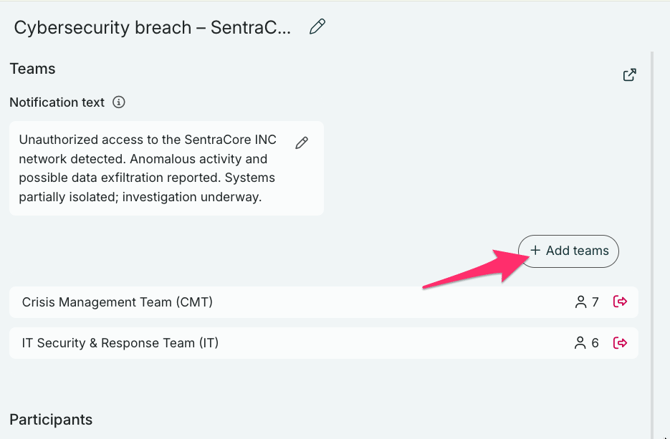
To add more teams, click on "+ Add teams"
You will now see a list of "Available teams".
- Click "+" to add the team.
- Click to see team members and the specific notification channels selected for them.
- Turn off notifications. By default, teams will receive a notification when they are added to a log. But you can turn this off. They will be able to access the log but will not receive any notification about this.
- Click to dismiss a team from the list of "Selected Teams". They will then be moved back down to "Available Teams".
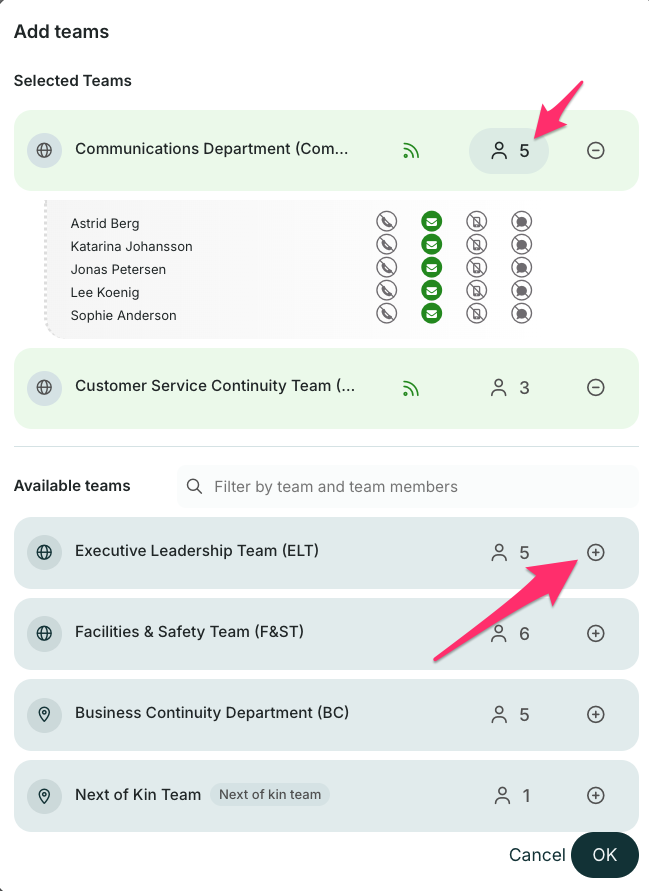
When you are done selecting teams, click OK. The selected teams will receive a notification (if selected) and will be able to access the log.