
You can add specific users to a team in an active, ongoing log if you want to. This will not change the team configuration for good. The added users will only be given access, or removed for this specific log.
Add a user to your log
To add a user to your log, you can go directly to the "Teams" section in your toolbar.
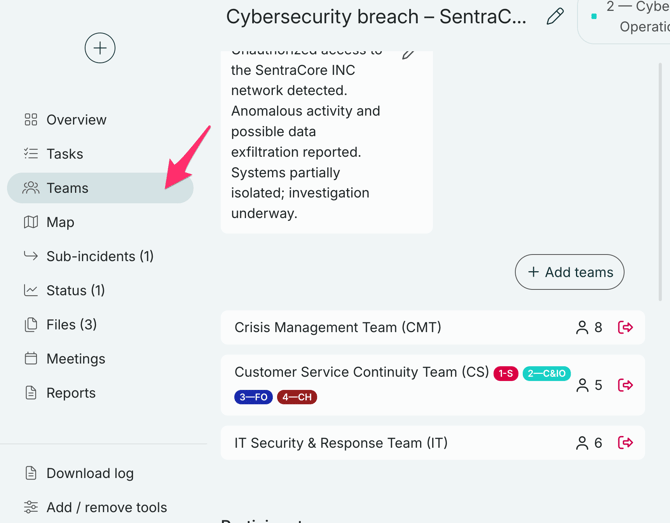
Then, click on the team you want to add more people to, and click "+Add person".
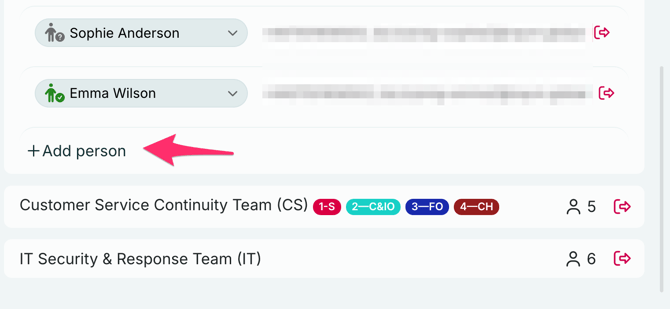
To add the person you want to your team, click on the "+"- sign next to their name.
If you have a team with many users, you can search for them by writing their name in the search bar.
Note:
People can only be added to a log by being added to a team. Individuals can not be added directly to a log without being in a team. If you need to add someone who is not already in a team, you have to do so in the "Account settings". Only users with Group admin or Account admin can access the "Account settings".
Remove a user from your log
You can chose to remove a user from the entire log by following these steps:
1. Go to the "Teams" tab, and scroll down to the participants list.
2. Find the user you want to remove from the team.
3. Click the name of the user you want to remove from your log, and select "Dismiss user from incident".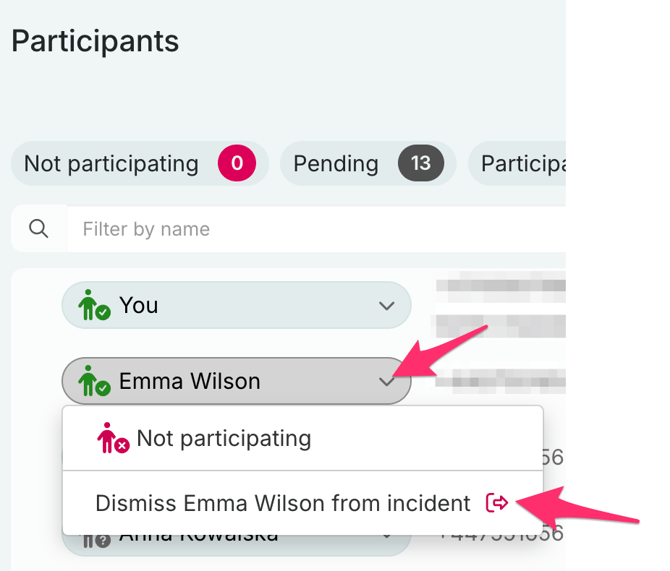
Remove a user from a team in your log
If you need to remove a user from a team in your log, you can also do that in the "Teams" section.
Select the team they are part of, and click the red door next to their name.
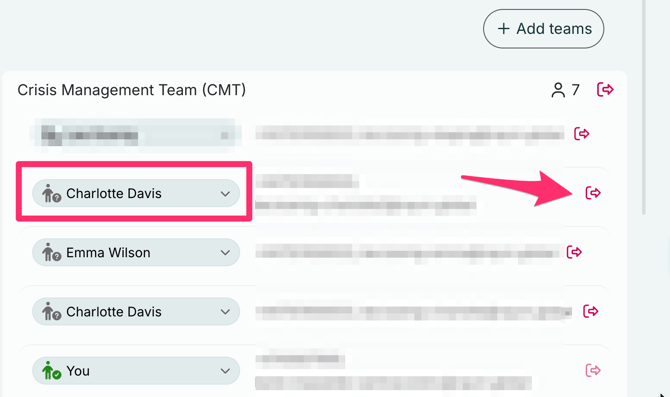
Note that removing the user from the team in the log does not remove them from the team permanently.
The changes only apply to that specific log.