
Incidents may occur at any time of day or night, and to make for a more comfortable user experience, we've introduced light adjusting themes to the platform.
If you prefer to view RAYVN in a dark theme, or a light theme, you can now adjust that for your personal use.
By default, RAYVN is set to "light mode", if you want to change that, here's how to.
How to select dark-mode
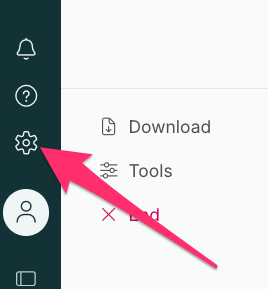
- Click on your gear wheel at the bottom of the screen
- Select whether you want light mode, dark mode, or system-adjusting light mode.
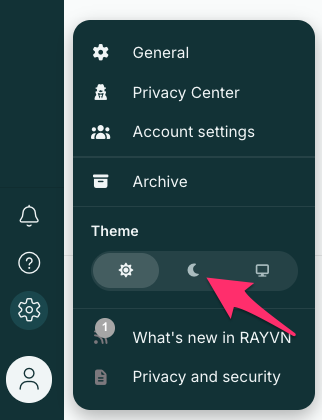
- If you have made changes to your system so that dark mode is implemented after a specific time of day, you can select this option so that RAYVN will automatically switch to dark mode when your unit does.