
The following article is relevant if you are using Groups in RAYVN.
User availability dictates how available a specific user will be to other groups. This can open up for a more flexible setup of RAYVN.
Changing user availability is relevant if other groups need to be able to invite the user to a log, or add them to their own teams.
The three levels of availability in RAYVN:
- Global: Global users are available in all groups.
- Regional: Regional users are also available in their own group's subgroups.
- Local: Local users are only available in their own groups.
How to change user availability
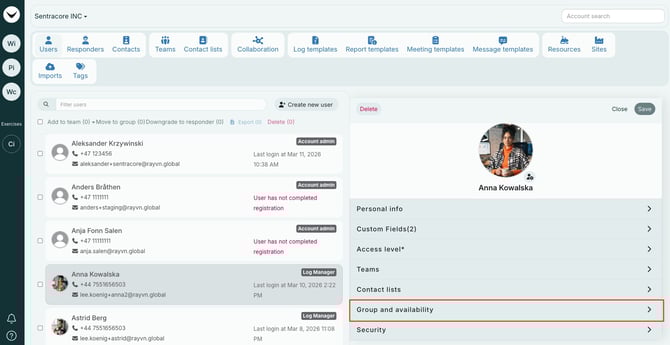
- Go to Account Settings -> Users.
- Select the relevant user.
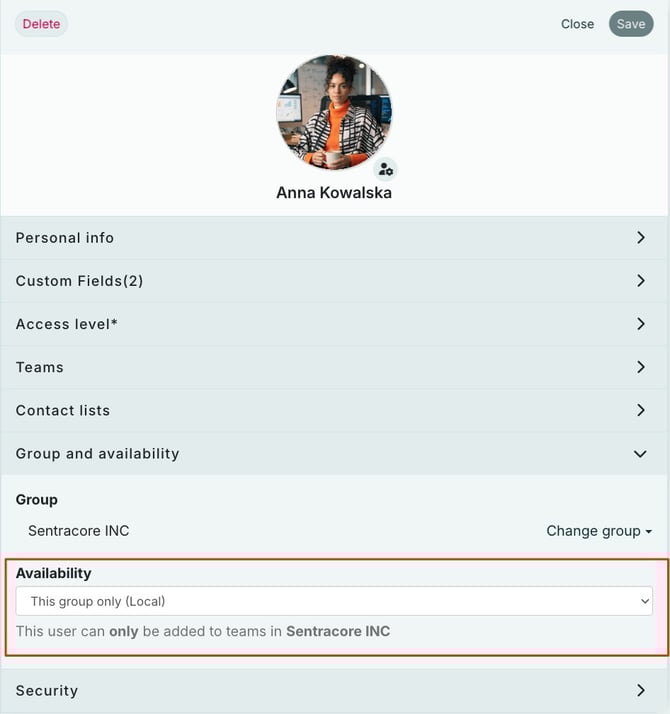
- On the right side, select Group and availability.
- Select the correct availability.
- Press save.
When you are done, press Save and the changes will be saved.