Users are the people who need to log in and take part in RAYVN, whether that means managing an account, responding to an incident, or simply staying updated. Each user has a role and an access level that decides what they can see and do. Setting users up correctly from the start makes it easier for everyone to find the right people and get moving as soon as something happen. Read more about user types here.
In order to create new users that will be able to use RAYVN, you have to be assigned one of the following roles:
- Account admin - can edit all users in an account
- Group admins - can administer users in the group the user is assigned.
Create new user
Go to the Account settings, and click on "Users".
You will see a list of all users that you have access to administer in your organization.
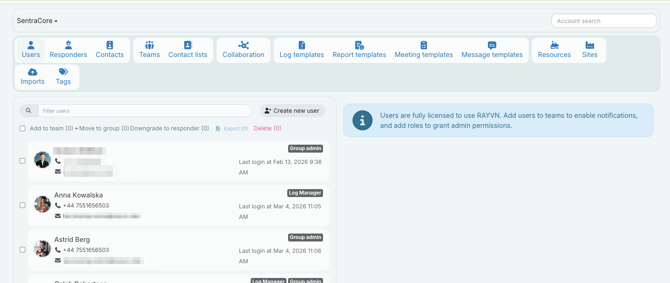
Here you can manage existing users and add new users.
This is how you create a new user:
-
Click the “Create new user” button
-
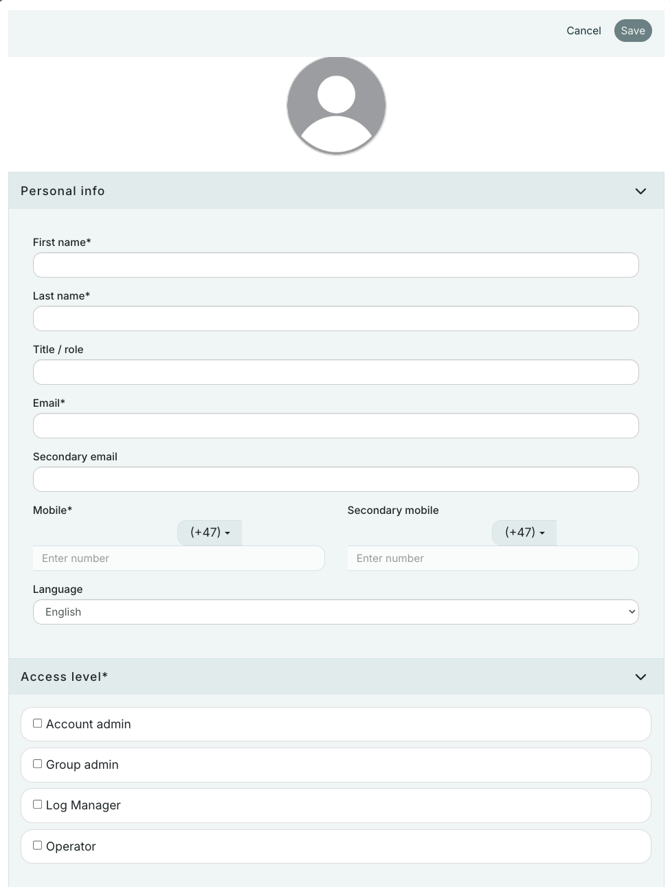
A form pops up where you can fill in details about the user. There is also an auto-generated profile picture, that you can replace with a profile picture of the user.
-
Fill out the fields regarding name, email, and mobile phone number.
-
Make sure to set the correct language on the user by selecting the language in the drop-down box
-
The new user will automatically be added to the currently active group. You can choose to select a different group, or sub-group by clicking on "Change group".
-
Specify the access level of the user.
-
Select team(s) for the new user by hitting the “Add team” button and then selecting one or more teams from the dropdown list.
Edit user
To edit a user, click on the user you want to edit.
If there is a long list of users, you can also filter the list by starting to type the name of the user you want to edit, and the list of users will be updated accordingly.
After you have selected a user, you will see the user's details to the right of the user list. Edit the user's properties and click the "Save" button. This will update the user.
You can edit:
-
Name, title, mobile phone number, and email.
- Values for custom fields for the user (if you are using custom fields in the account)
- Their preferred language.
- Profile picture.
- Which group (part of the organization) the user belongs to.
- The user's access level in RAYVN.
- Which teams the user should be assigned to.
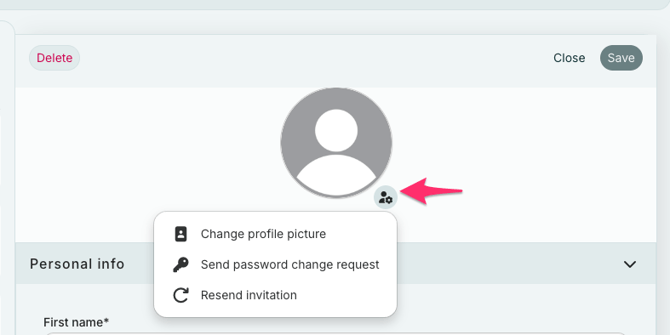
- Request a password change on behalf of the user (email will be sent to the user).
You can now also resend their invitation to join RAYVN if they have not verified their email and set their password yet.