
If you have access to the Account settings, you'll be able to create templates for your reports that can be used when operating in a log. Feel free to read more about reports here before creating a report template.
How to create report template
Go to your account settings and select "Report templates".
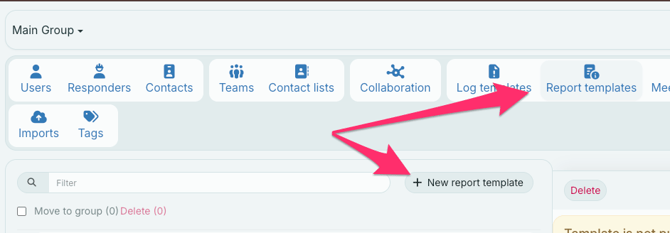
Then, click "+ New report template," give your template a name, and write some details about the report.
Select the availability of your report and the group from which your template should be available.
The name and details of the template will show up when you select your report templates in a log.
Then, you may add some sections to your report. In the same way that you can have agenda points in your meeting templates, you can have predefined sections in your report template. You may add some text to the sections to include pre-written text in your reports. After you've written some text, click on the small check button to save it.
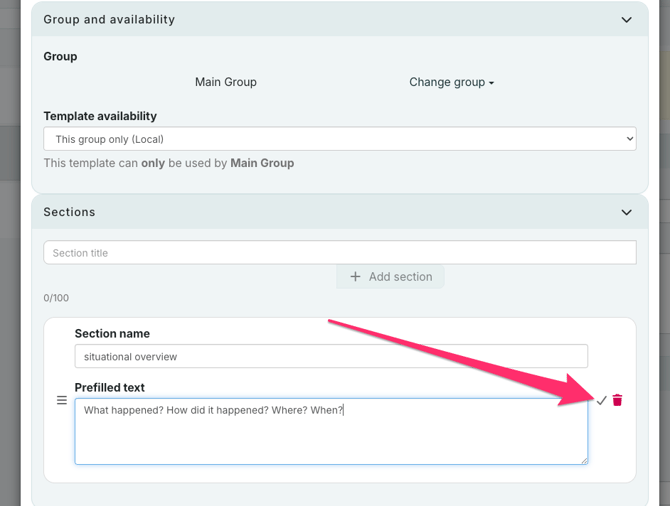
You can change the order of the sections by dragging the three lines on the left side of the section, and you may edit or delete the section by clicking on the "edit"-button or the trashcan.
When you've filled in all the fields you want, click "Save" to save the report template.
The next time you go to write a report from your log, it will be available from the Reports menu.