
You can dismiss a team from an open log. After you do this, the team (and the users of the team) will not be able to log in and see the content of the log.
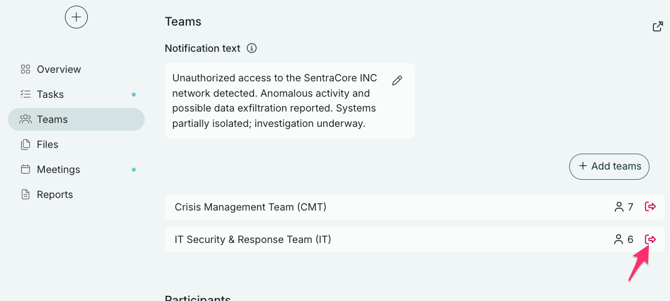
You can dismiss a team directly from the "Teams" folder in your toolbar.
Just click the icon with an arrow pointing out a door to the right of the bar for each team:
Once you have selected a team you want to remove, you get the option to disclose a message to the team or removing them without a message.