
General account settning covers the core settings that apply to your entire RAYVN account. Because these settings affect every user rather than just one person, only Account Admins can change them. Keeping this information accurate ensures a consistent experience for everyone using RAYVN.
This section is found in the General settings of RAYVN.
Here you can view and change:
- The name of your account.
- The default system language for the account.
- The exercise prefix, attached to all your exercise logs.
- The default map position.
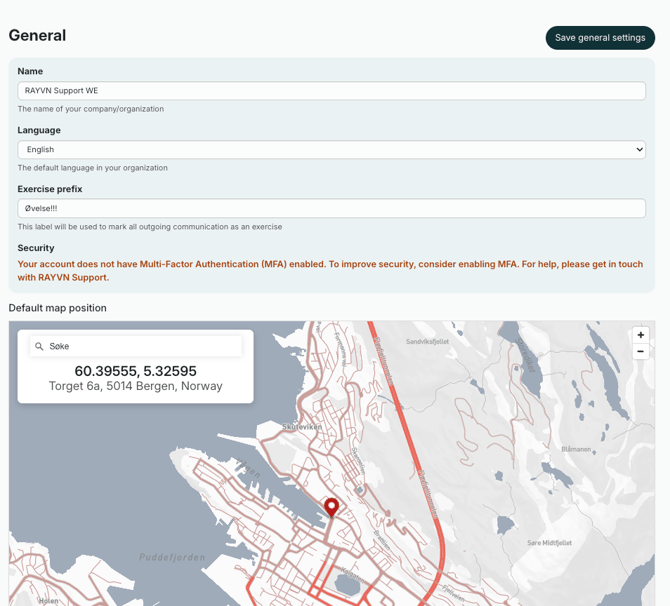
Any changes you make here affect all users in the account, since these settings are connected to the account itself, not to individual users. For example, changing the default language updates the language of all system messages, though each user can still pick their own personal language for using RAYVN.
Remember to save your changes by clicking "Save general settings".