
Every log in RAYVN automatically generates a log that can be downloaded. Many consider this to be the final report and the final timeline. The log contains all information connected to the the incident (log), such as notifications, log entries, reports, meetings, tasks, etc. This cannot be edited.
The log is available in the following formats:
- Excel
- Word
- JSON
- Zip (important if you need all attachments, e.g reports)
Download the log from the active log
- Select Download log from the bottom left corner.
- Choose the preferred format.
- Download will start.
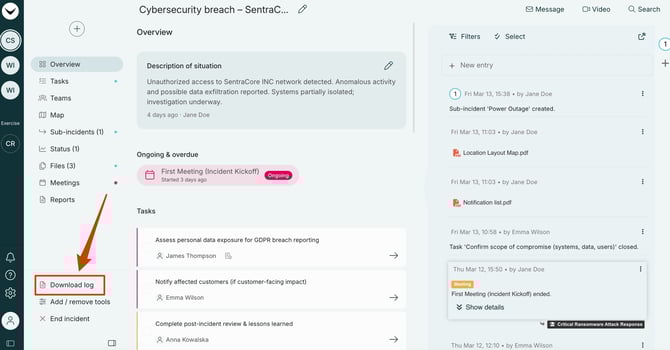
Download an ongoing log directly from the active log. This is a nice option when you need a temporary log until the entire log is closed.
Download a log from the archive
- Choose the correct log from the overview, and press the download icon (to the right).
- Choose the preferred format.
- Download will start.
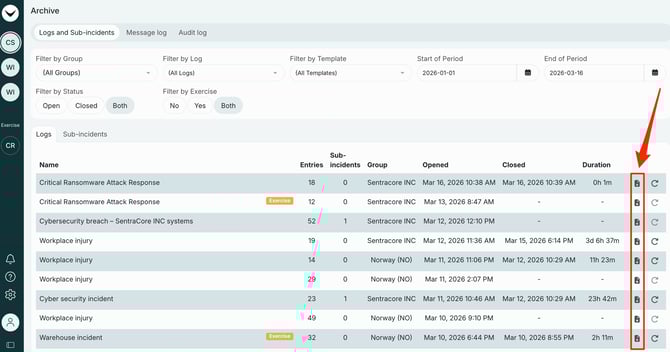
Select the log you want to download from the archive.
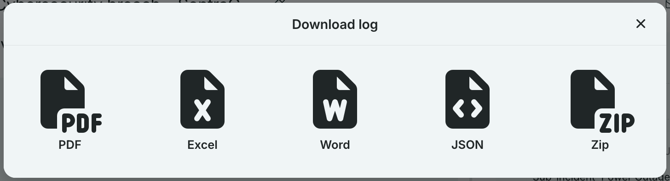
The available formats for all log downloads.