
At some point you may get an invitation from one our your partners/neighboring organizations to set up a stakeholder agreement.
If you do, you will receive an e-mail that looks something like this: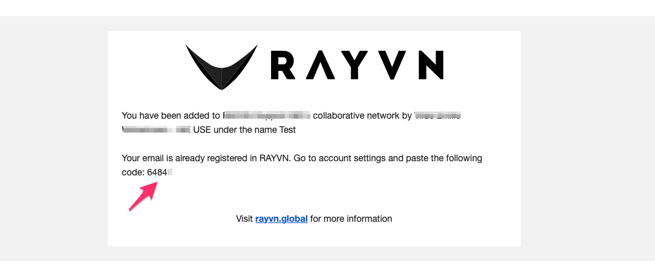
You'll notice there is a five digit code in this e-mail (in the example it's XXXXX). Copy it, and log in to your RAYVN account.
Once you're inside RAYVN, go to the Account settings, and find the "Collaboration" tab.
On the right side of the page you'll see a field that looks like this:
Enter your five digit code here to accept the agreement with your stakeholder. Lastly, press "Save" to save the agreement.
Once that has been done, you'll see a handshake symbol next to the name of your stakeholder. This means that the agreement is valid, and you can now collaborate with each other in logs.
If you want, you can always change the "Responsible team" connected to the stakeholder.
The Responsible team is the team that will be notified when your stakeholder sends out an invitation to collaborate.