
If you want to include the logo of your organization in your downloaded logs, you can upload it in the General settings.
Note: To access the General settings, your user must be an Account admin.
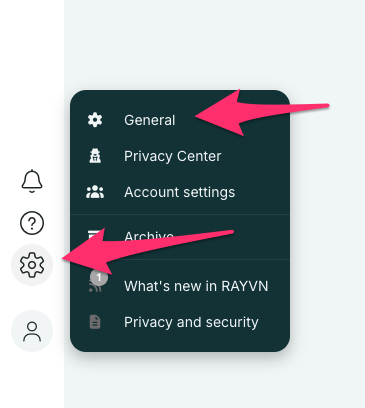
To upload a logo to your account, click the gear wheel, and access the General settings.
Then, select the "Logo" tab, and click the logo field to select your logo.
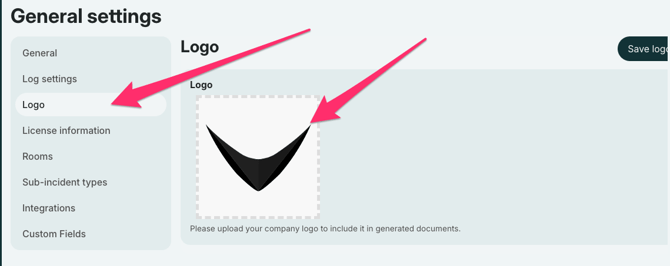
Once finished, click "Save logo" to save your logo.
Note:
RAYVN will only accept an image of a logo that is in a 1x1 format. If your logo is in a different format, it may look warped when you use it in your downloaded logs.