
If you want to change a user's email, go to user in account settings. Click on the user you want to change the email on. On the right side you will get information about the user. Then, go to the "email"-field, delete the current email and write in a new email. Remember to check if the email is correct.
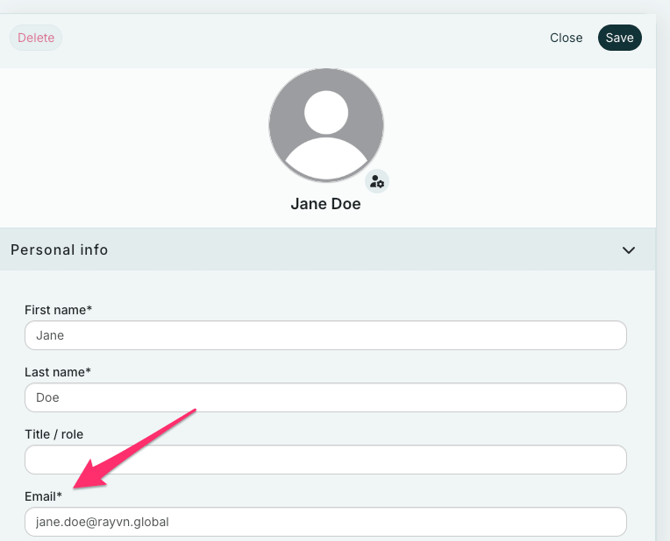
Once you are done, click "Save".
How to change your own Email:
You can also easily change your email yourself. Go to your “Profile Settings” by clicking on the person icon in the lower left corner and selecting “My Profile.” There, you will find your profile information, including your email address. From here, you can update it to a new one.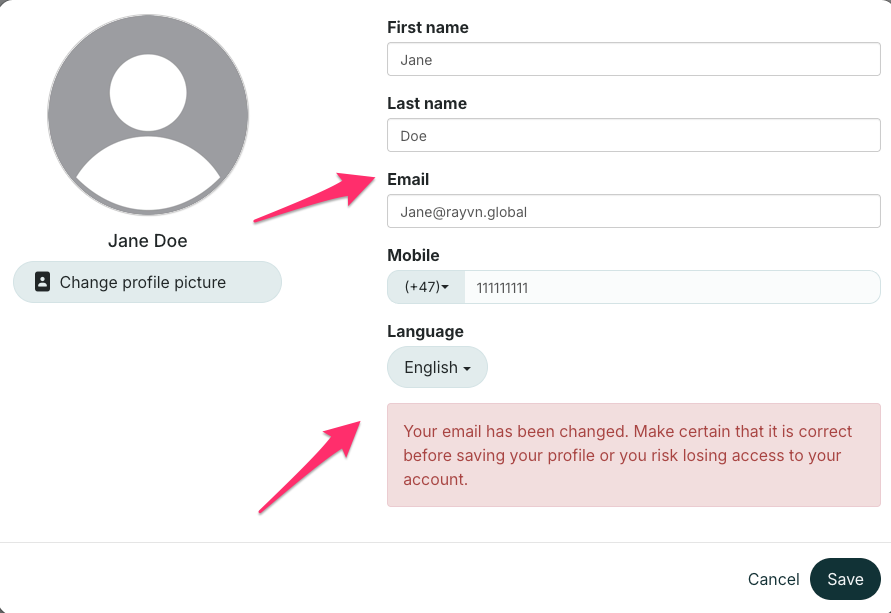 You will receive a warning message to confirm that you have entered the correct new email address. After double-checking that it is correct, click on “Save.”