
No organiazation is identical, and what information is most important to display, may vary.
Changing how the overview page presents information can be a useful way to ensure that your teams see the information which is most relevant to them first.
We also know that it's important to make sure that your teams see the same information views, and therefore we've made it so that this configuration must happen at an account level.
To be able to manage the layout of sections on the overview page, you'll need access to the General settings, and have the access level Account admin.
- Go to the "General" settings and locate "Log settings"
- Go to the section "Incident overview section order".
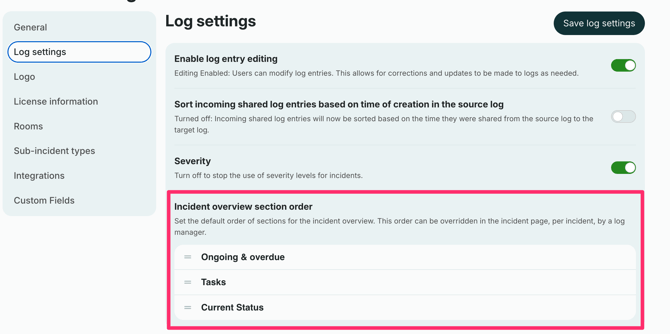
- Drag the sections to place them in the order you want them displayed:
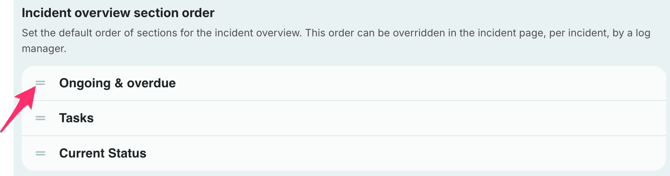
- Save the log settings
Note:
The changes you make here will only apply to future logs. If you have existing logs, they will not be affected by changes to the overview section order.