
Moving a user to another group in RAYVN is quick and easy. It can be useful whenever a user's situation changes, for example if they switch department, or need more or less access in the group hierarchy. The same "move to group" option works for all content in the Account Settings, not just users.
How to move users
This is done in account settings -> users.
- Select the user you want to move. If you need to move more than one user, select several.
- Select move to group in top menu.
- From the group overview, select the new group. When you click the new group, the user(s) will automatically be moved.
- User(s) are removed from current group and added to the selected group.
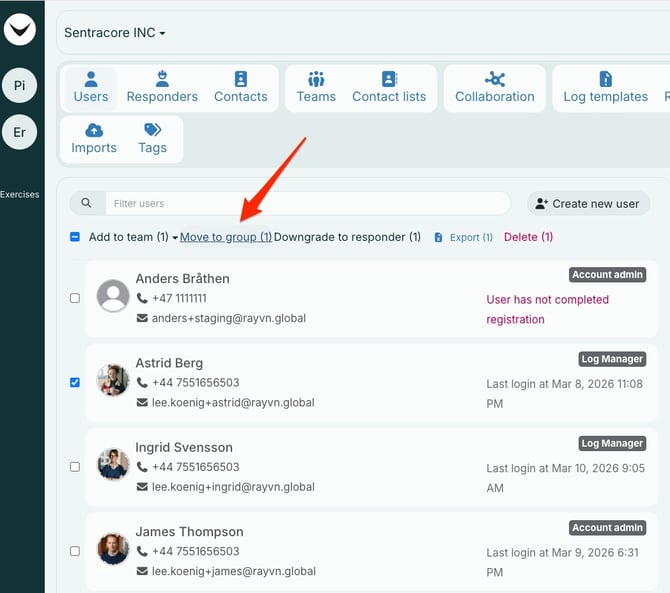
Select the user(s) to be moved, then move to group.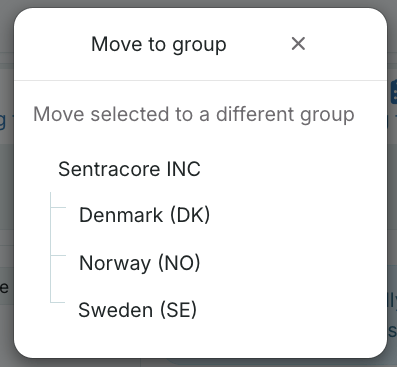
Select the new group.
All content in RAYVN can be moved from one group to another. Move to group option is available throughout all of Account Settings.