
In order to start using Rooms in RAYVN, you will need to set them up the way you want your organization to manage situations in. Read more about how to use rooms here.
1. Click on the settings icon in the buttom of the page.
2. Choose "General".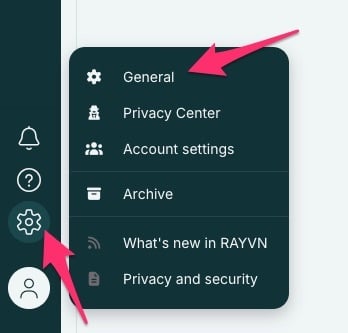
3. Click on "Rooms".
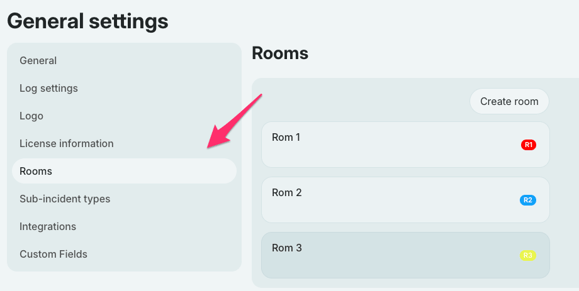
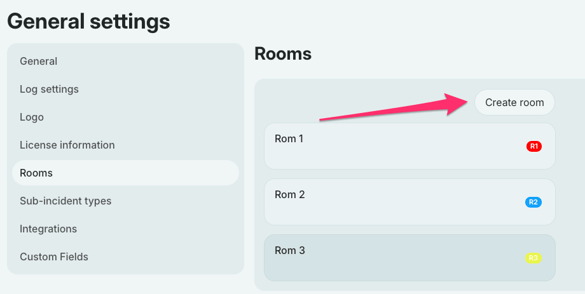
4. Click on "Create room", in the "Rooms" section.
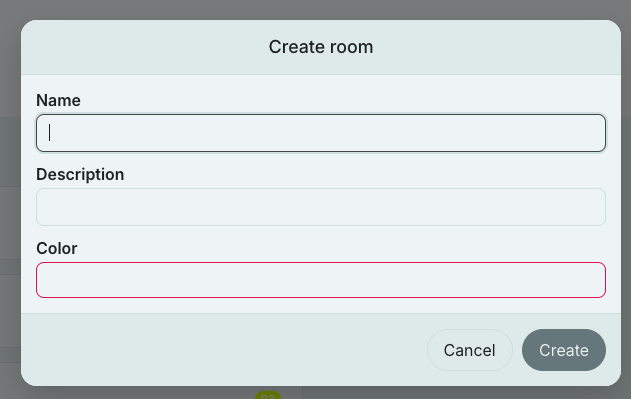
5. Write the name/title of the room. Make it a descriptive name so that it makes sense for the people that might "navigate" between the rooms during the incident. You should name these according to how your emergency response organization is organized.
Click on "Color". The color of the room is important for distinguishing between the rooms. You can easily see which room you are "in" and it also makes the different rooms more distinguishable when sharing log entries and so on.
Select a color in the color picker, and then click on the "Create" button.
6. You will now see the list of your rooms in your organization.
The next step is to assign your teams to a room.