
Your external resources can be reached and accessed from RAYVN through URLs.
These resources can be files/resources hosted on your cloud service, other web services, etc. Ensure you are even better prepared for any scenario by linking to other resources that might be useful for you in a specific situation.
Add URLs to your log templates by either creating a new log template or updating an existing one
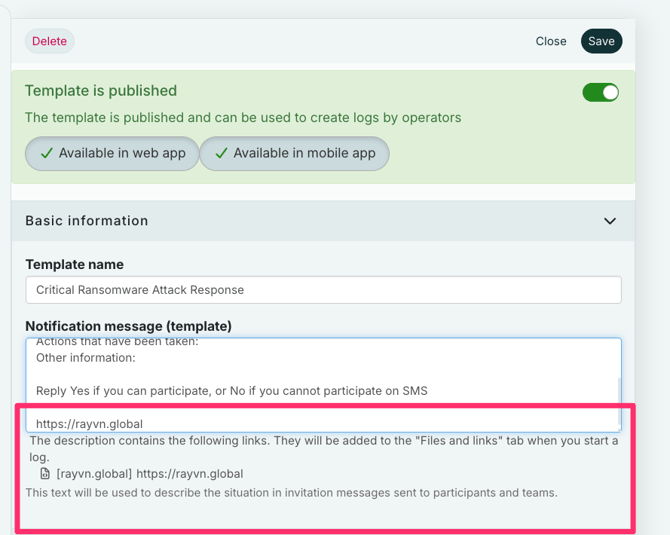
The URLs you write in “Template Description” will automatically be added to the “Files and links” tab in your log, and posted in the log feed.
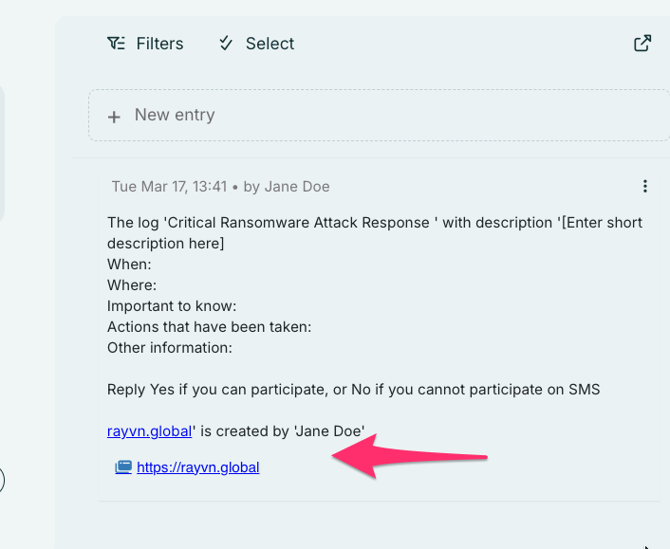
URLs you write in the log feed through log entries will also automatically be added to the “Files and links” tab.
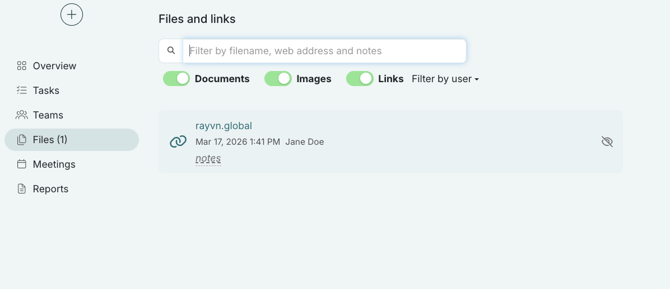
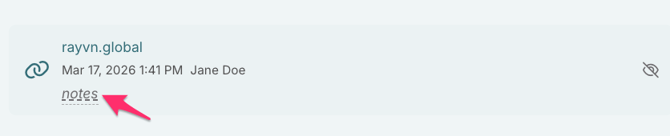
All URLs in the “Files and links” tab will display the same icon. The files can easily be accessed by clicking on each icon. You can also add a note to each link by clicking “notes” next to the icon.
The different files and links can be pinned under the "files and links" tab. The pinned links will automatically be filtered ahead of the unpinned files and links.
Note: When you add URLs to the Instructions field on a task, the URLs become embedded. URLs that are added this way will not be saved in the “Files and links” tab.