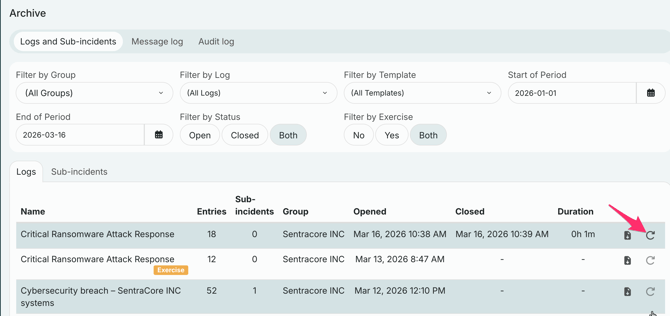
In RAYVN a log stays open and active for as long as an incident or exercise is ongoing. Closing the log is how you formally mark that the situation is over: it moves the log out of your active work list and into the archive. This gives your organization a clear, dated record of when the event started and ended.
Closing logs applies only for users with these access levels:
-
Customer Admin role
-
Group Admin role
-
Log Manager
To close a log you follow these steps:
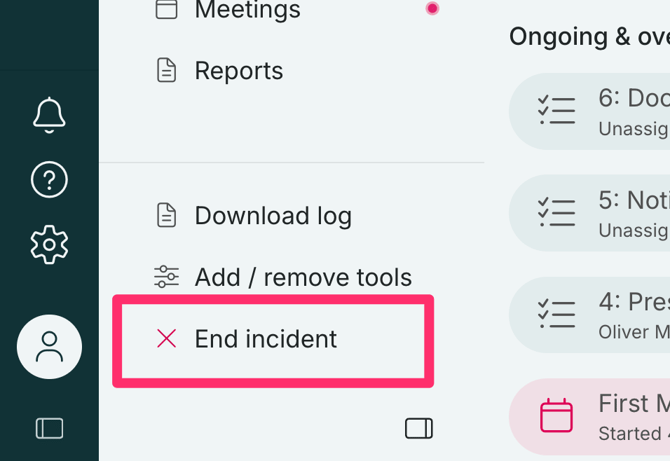
1. Go to the active log and click on the "End Incident"-button in the bottom left corner of the log
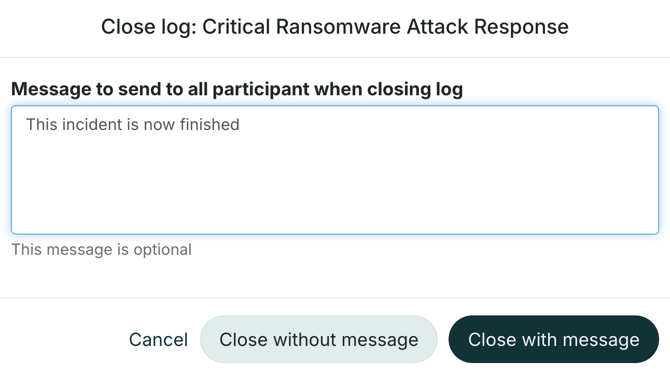
2. You now got the option to close the log with or without a message. This message is optional.
If you choose "Close with message", all teams and personnel that are involved in the log will receive an SMS with the message.
Reopen a closed log
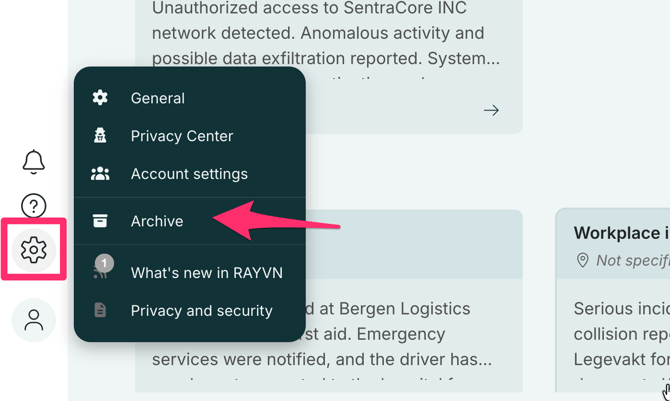
Note that you can always reopen the log after it is closed. Go to "Archive" in the settings menu.
From there you can find the log you want to reopen. Click on the arrow pointing downwards next to the right of the log and select Reopen log.
Note: Re-opening a log will not trigger any additional notifications for the log participants.