An incident should not just be handled - it should also be documented!
RAYVN offers an integration between Documaster and RAYVN which allows you to archive your logs directly in Documaster, ensuring that your incidents are archived for posterity.
If you are already a customer of Documaster today and want to be able to directly log your incidents from RAYVN to Documaster, you can use our integration to do so.
Note: to use this integration, you need to:
-
Be a customer of Documaster
- Buy the integration from us.
This comes at an annual fee of $2500
Exercise-logs will not be automatically archived - but can be manually archived to Documaster from the Archive in RAYVN.
This integration is only relevant if your organization is already customers of Documaster.
You will also need access to the RAYVN integration section of the general settings.
We are working to publish this section for all customers in the world, but as of today, it is only available to our customers in certain regions.
How to activate the Documaster integration:
To activate the Documaster integration, go to the General settings in RAYVN.
Note: You need to have access to your Documaster account before you can enable the Documaster integration in RAYVN. Documaster is a seperate service that RAYVN does not manage. We only offer the integration between the systems.
You will also need access to the General settings in your RAYVN account. This is only available to users who have the "Account admin" Access level.
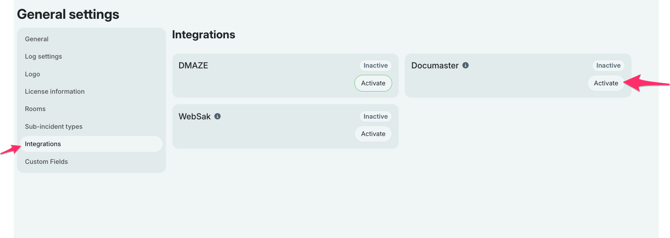
When you access the General settings, you'll find a section called "Integrations".
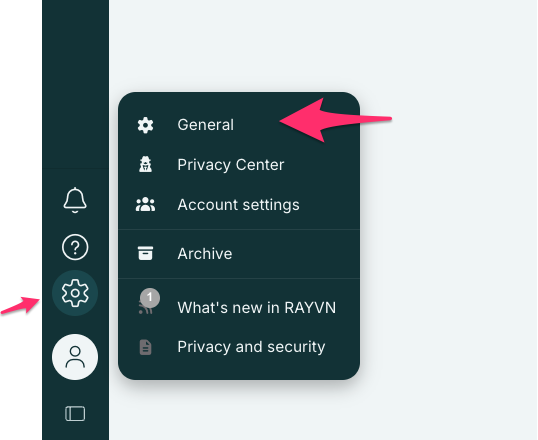
Here, you will also find the integration to Documaster. To enable the integration, select the "Activate"-button, and fill in the form that pops up.
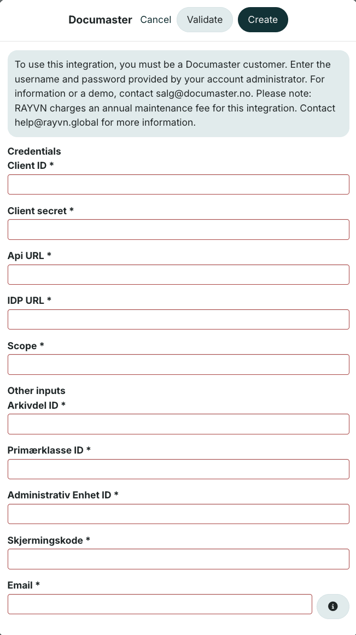
You will need the following information from Documaster to fill in the form:
- Client ID
- Client secret
- API url
- IDP url
- Scope
- Arkivdel ID
- Primærklasse ID
- Administrativ Enhet ID
- Skjærmingskode
- Email for ansvarlig person/enhet
After the form is filled out, you can run a validation test to ensure everything is set up correctly before clicking "Create".
You will then need to select "Enable" one more time in order to complete the activation of the integration.
When the integration is active, it should appear as follows in the "Integrations" section.
You will also easily be able to disable or edit the integration if necessary from the overview
How to archive a log from RAYVN to Documaster
There are three ways to document logs from RAYVN to Documaster:
- Logs will be automatically archived every 24 hours
- Logs will be archived whenever a log is closed
- Logs can be manually archived from the Archive section in RAYVN. This is only relevant if you need to update specific information and cannot wait until the daily auto-archiving is commenced.
Note: Exercise logs will not be automatically archived every 24 hours or when they are closed. They can, however, be manually logged from the archive.
If you need to manually archive a log, you'll need access to the RAYVN Archive. Note that this is only available of you have one of the "admin"-access levels (account admin, or group admin).
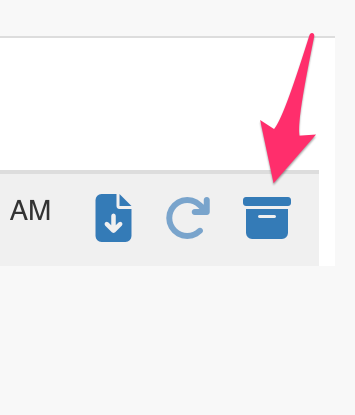
Find the log you want to archive in the Archive, and select this button: