
This article is relevant for you if you are an administrator in your RAYVN-account.
In this article, we go through:
-
What groups are in RAYVN
-
How to set up groups in the account settings in your RAYVN-account
In the RAYVN hierarchy, each company can build its own business structure, with its terminology. This means users, teams, and templates can be added to any level in your organization's hierarchy. This provides endless flexibility and opportunities for how you can manage a wide range of critical events, ranging from minor local incidents to significant crises with global reach.
Here you can see an example of a hierarchy. SentraCore AS is the main group with different sub goups under. You can edit groups and create new sub group.
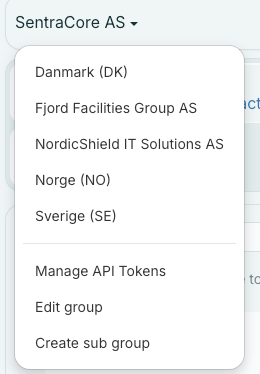
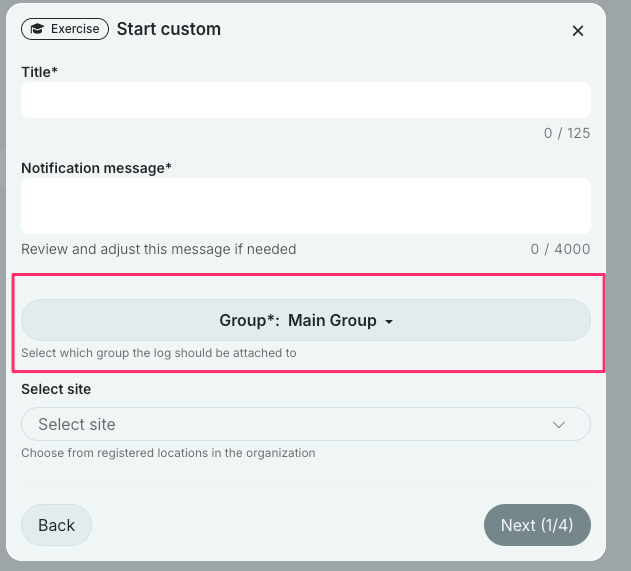
Users will see the hierarchy when clicking on “Start Log”. This user has access to the top level of Main Group and can see the whole business structure. Users who are connected to groups further down in the hierarchy will only see their group and below. A user connected to Company A would only see Company A and below. Each group in the hierarchy can have its own set of log templates with predefined scenarios, including teams, tasks, files, etc.
Defining a teams place in the hierarchy
By defining teams as Global, Regional, or Local within the hierarchy, RAYVN allows you to involve emergency responders both vertically and horizontally in the organization.
- Global teams- can be invited to logs within the entire organization regardless of the group they belong to.
- Regional teams- can be invited to logs within the group they belong to, or in any subgroups of that group.
- Local teams - can be invited to logs within the group they belong to, and nowhere else.
- Regional teams- can be invited to logs within the group they belong to, or in any subgroups of that group.
Below, we see that a team is defined as a Global team under the main group "SentraCore AS".
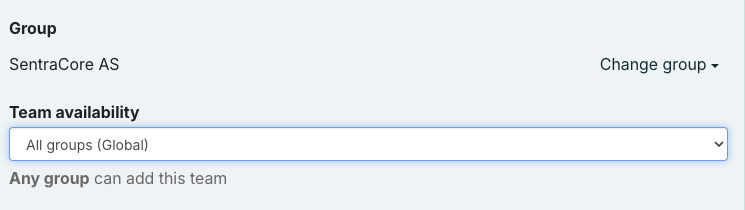
Available teams for "SentraCore AS":
-
Global teams
-
Emergency team
-
IT
-
-
Regional teams
-
Safety team
-
-
Local teams
-
Emergency responders
-
During a critical event, the main group can involve the teams in the hierarchy which are appropriate for the specific type of scenario, according to the contingency plan. While setting up predefined scenarios in RAYVN, minor incidents would only involve Local teams. On higher severity levels, the template would also include Regional and Global teams.