
Sharing a log entry lets you pass on important information from an ongoing log to the people who need it. Whether that's another room, a different active log, a stakeholder, or specific individuals and contact lists. Instead of manually rewriting updates elsewhere, you can forward entries directly through RAYVN, keeping everyone informed and reducing the risk of information being missed or duplicated.
To share a log entry:
- Press the "..." next to the log entry you want to share.
- Select recipients. When sharing with rooms in the same log, other active logs and stakeholders, the log entry is directly forwarded through RAYVN. If sharing a log entry with users, responders, contacts, teams, contact lists og participants, the log entry is converted to an e-mail.
- Press Share.
- The log feed now indicates that the entry has been shared and with whom. Hover the cursor, and additional information will appear.
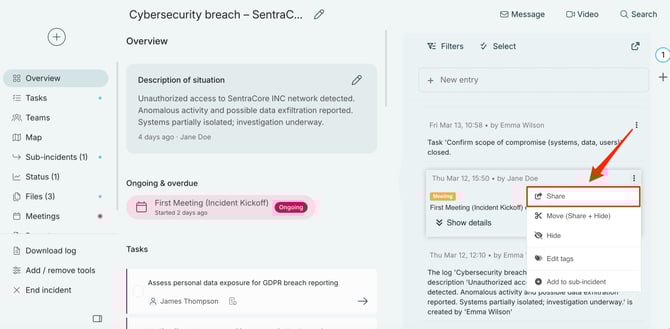
Sharing option from the log feed.
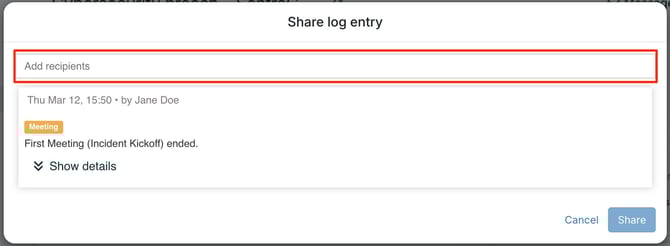
Select recipients by typing in a name or pressing the Add recipients field.
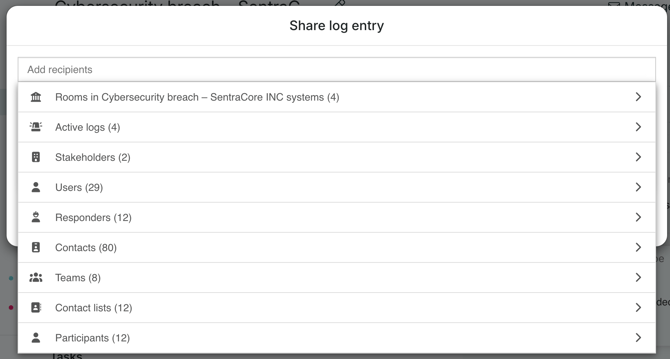
Overview of who you can share a log entry with. When selecting one of the top three, the log entry is shared directly in RAYVN. For all other options, the log entry will be sent as an email.
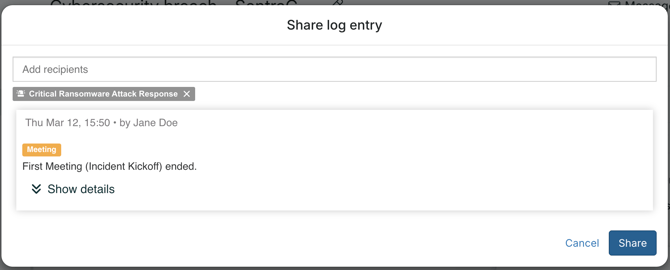
Ready to share entry.
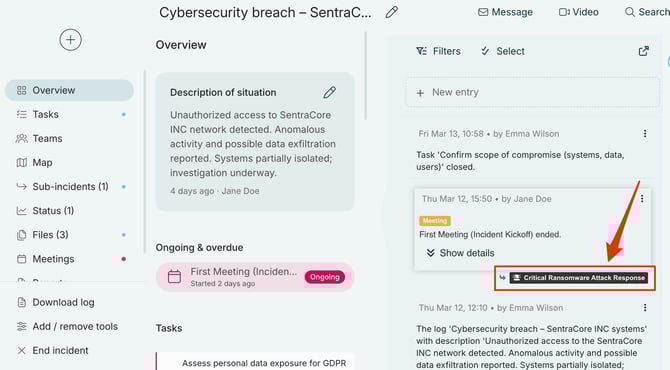
See what information is shared with whom in the log feed.