When you create a user, they get sent a link to their email, which they need to click to verify their email and set a password.
This link is time-limited; after 48 hours, it will no longer work.
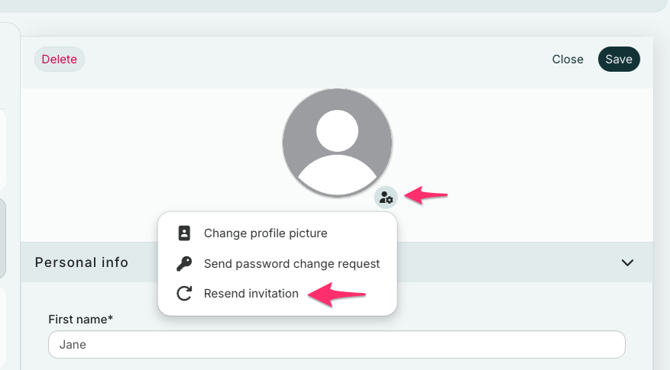
Should this happen, you can resend their user invitation by:
- Go to the "Account settings" and select "Users".
- Find the user you want to resend an invitation to. Next to their profile picture, click the gear icon, and then select "Resend invitation." The invitation will be sent to that person's email again. Remind them to check their spam filter if it doesn't appear in their inbox.