
The Privacy Center allows customer administrators to manage privacy responsibilities within the organization from a single location.
From the Privacy Center, you can search for stored data related to RAYVN users or other individuals saved in your RAYVN database.
To access the Privacy Center, you must be logged in with the "Customer Administrator" role.
Click on the settings icon, then select "Privacy Center."
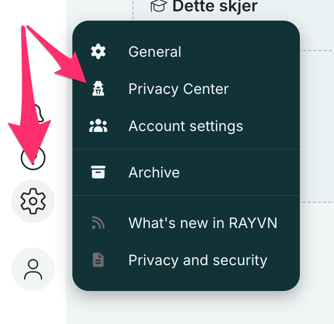
After accessing the "Privacy Center," you can start searching for users in RAYVN or for places where individuals have been mentioned in logs.

Search for locations where individuals have been mentioned.
When you start typing the name of a person with a RAYVN user account, a suggestion will immediately appear in the search field. Click on the user you are searching for.
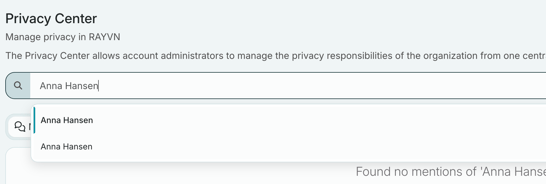
You can also search for individuals who have been mentioned in a log but are not RAYVN users. An example of this could be a log containing sensitive information about a person’s situation. By using the Privacy Center’s search function, you can easily find all instances where that specific information has been recorded.
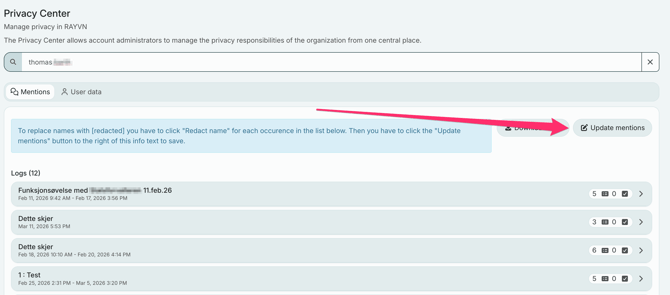
After typing in the search field, you will see a list of all logs where the specific person is mentioned or has left data of any kind.
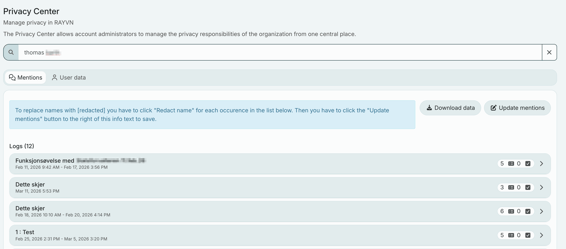
When you click on a specific log, you will see the user’s name highlighted wherever it appears. This may include:
- Log entries that the user has linked to or posted themselves.
- Tasks the user has created or been assigned.
- Sub-incidents the user is involved in.
If a request is made to delete or remove a user’s data from the log records, you can easily do this using the Privacy Center. After searching for the specific person, you can remove instances where the person has been mentioned in the logs.
Click "Redact name" next to where the person has been mentioned. The name will then be replaced with "redacted."
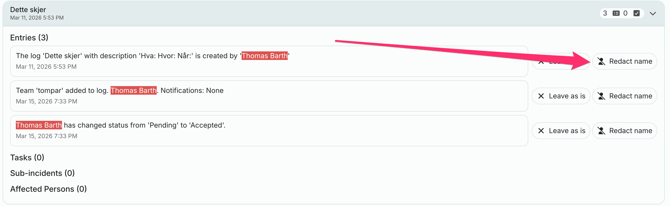
Repeat this for all instances where you want to remove a person’s name, then click "Update mentions" to save the changes to the log data. This is an irreversible process, as the user’s data will be permanently removed from RAYVN’s servers.
It is also possible to download the raw data of a person. This data shows what is stored in the system’s database.
User data
If you have searched for a RAYVN user, you can click on the "User Data" tab. Here, you will find lists of all logs in which the user has participated. There is also a list of teams the user has been or is a member of.
In this section, you can download all existing data about a user stored in RAYVN. You can also choose to anonymize the user’s data. This is generally not something you would do, but it may be necessary for two reasons:
- The RAYVN user has requested that all information about them stored in RAYVN be deleted. This is a necessary function due to GDPR.
- An administrator wants to remove all traces of a specific user from the system.
It is not possible to anonymize users who are still active in a log. The user must first be deleted in "Account Settings."
After that, you can go to the Privacy Center, click on "User Data," search for the user, and then select "Anonymize."