RAYVN has three types of people: Users, Responders, and Contacts. Each has a different role and level of access during an incident. Setting the right type in advance makes it easier to involve the right people when needed, without giving everyone full system access or requiring training.
Here's what each user type includes:
Users
-
Users have access to the RAYVN Platform. They will have different levels of accessibility to the different system/settings.
-
All users can participate in incidents, manage logs, tasks, and contribute with communication.
-
They can be assigned a specific access level to manage what they have access to in the account. These are: Account admin, Group Admin, Log manager, and Operator.
Explaining the four access levels:
-
Account admin: Can access everything in the account, including all settings. This includes the General settings, the Privacy Center, the Account settings, and the Archive. They can also see all logs that are started in the account, even if they are not invited to the logs themselves.
-
Group admin: Can access the Account settings, and the archives. Group admins can only administer the account settings for the group that they are in, and all subgroups placed below their group (if the account is set up in a group structure). Group admins can also see all logs that are started in their group, or the subgroups below them, even if not invited.
-
Log manager: A log manager does not have access to any settings, or the Archive, but they are able to start logs themselves. They cannot see any logs that they are not invited to, or have started themselves.
-
Operator: An operator does not have access to any settings or the Archive, and they also cannot start logs themselves. They can, however, be invited to logs that other people have started. They also cannot see any logs that they have not been invited to.
Responders
-
Responders cannot log into the platform, as opposed to Users.
-
Responders can be added to teams, and thereby be notified when an incident occurs.
-
They can provide status updates via SMS by responding to the messages they receive.
-
Typically used for employees or partners who need to receive alerts and give brief responses.
- Minimal training required - does not need to know how to use the system
Contacts
-
Contacts have no access to the platform.
-
They are mainly used for storing contact details (phone, email).
-
Can be included in contact lists for messaging purposes, but cannot respond or interact in the system. Contacts can confirm that they've read and understood the message if you send them a message with message confirmation.
- Contacts are typically personnel who only need to be informed that something is going on, or partners who need information, but are not expected to participate in the incident.
- No training required.
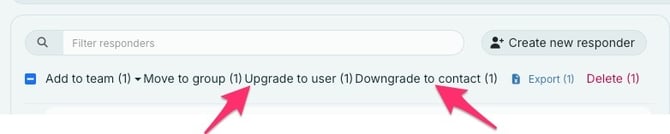
Each of these can be upgraded to a higher user type if needed. For example, a Responder can be upgraded to a User, and downgraded to a contact .